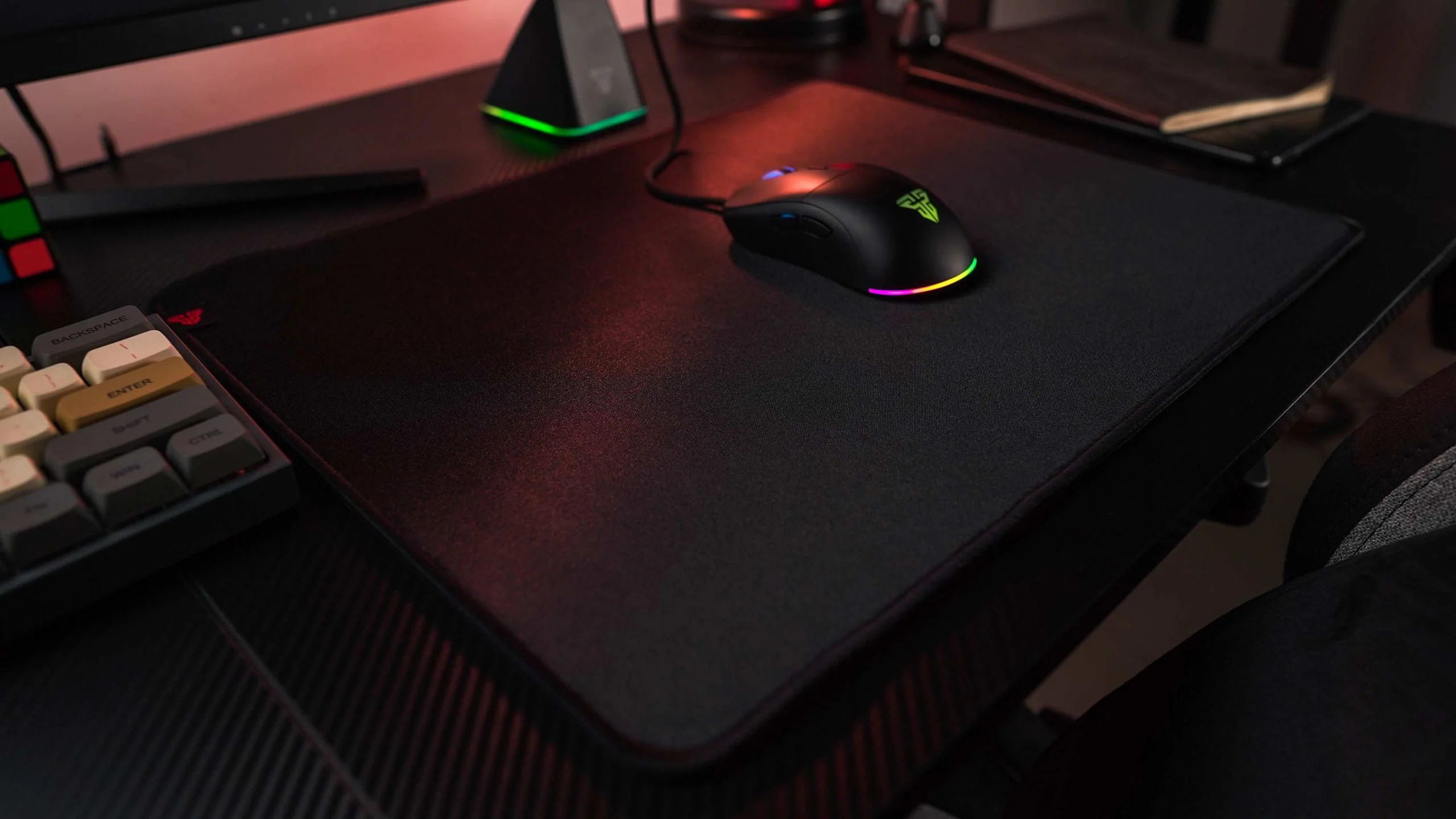
A gaming mousepad may look like a simple desk accessory, but for serious gamers, it can make a noticeable difference in comfort, aim, speed, and overall performance. Whether you play fast-paced FPS games, competitive MOBAs, strategy titles, or casual PC games, the surface beneath your mouse affects every movement you make. A poor-quality pad can cause inconsistent tracking, wrist discomfort, and reduced precision, while the right one can help you move smoothly, react faster, and maintain better control during long gaming sessions.
Many players invest in high-DPI mice, mechanical keyboards, and powerful gaming PCs but overlook the importance of a reliable gaming mousepad. However, your mouse sensor depends heavily on the surface it tracks on. The texture, size, thickness, base grip, and material all influence how accurately your movements translate on-screen. Therefore, choosing the right mousepad is not just about looks; it is about matching your playstyle, desk setup, and comfort needs. In this guide, you will learn what makes a good gaming mousepad, which features matter most, and how to choose the best option for your gaming style.
Why a Gaming Mousepad Matters for Performance
A gaming mousepad is designed to provide a consistent surface for accurate mouse tracking. Unlike a regular office pad or a bare desk, it helps your mouse sensor read movement more smoothly and reliably. This is especially important in games where precision matters, such as first-person shooters, battle royale games, and competitive esports titles. When your mouse glides across a predictable surface, your aim feels more natural, and your hand movements become easier to control.
Another important benefit is comfort. Gaming often involves long sessions, and dragging your wrist or forearm across a rough desk can quickly become uncomfortable. A quality gaming mousepad offers cushioning, smoother movement, and better support, helping reduce strain during extended play. Larger pads also allow players to use lower sensitivity settings, which many competitive gamers prefer because it offers greater aiming accuracy. Instead of making tiny high-DPI movements, players can use broader arm movements for better control.
In addition, a good pad protects your desk and your mouse feet. Constant movement on a hard or uneven surface can wear down the glide pads underneath your mouse. Over time, this can make movement feel scratchy or inconsistent. A well-made gaming mousepad helps preserve the mouse feet and keeps your desk surface cleaner and safer from scratches. Moreover, modern options come in different styles, including RGB lighting, stitched edges, extended desk mats, waterproof coatings, and minimalist designs. As a result, a gaming pad can improve both performance and the appearance of your setup.
Choose the Right Size for Your Gaming Style
Size is one of the most important factors when buying a gaming mousepad. Small pads may work for casual users or limited desk spaces, but competitive gamers usually prefer medium, large, or extended options. The right size depends on your mouse sensitivity, the type of games you play, and how much desk space you have. If you use high sensitivity, you may not need much room because small wrist movements can move your cursor quickly. However, if you use low sensitivity for better aim control, you will need a larger surface to move your mouse freely.
For FPS players, a large gaming mousepad is often the best choice. Games like Valorant, Counter-Strike, Call of Duty, and Apex Legends require accurate aiming, quick flicks, and smooth tracking. A bigger pad gives you more room to swipe without running out of space in the middle of a fight. It also allows you to lower your mouse sensitivity, which can improve precision. On the other hand, MOBA and RTS players may not need as much surface area because their movements are usually shorter and more controlled.
Extended mousepads are also popular because they cover a large part of the desk and provide space for both the keyboard and mouse. This creates a clean, uniform look while preventing the keyboard from sliding during intense gameplay. An extended gaming mousepad can also make your desk feel more comfortable because your wrists and forearms rest on the same soft surface. However, before buying one, measure your desk carefully. A mousepad that is too large may interfere with speakers, monitors, notebooks, or other accessories. Ideally, choose a size that gives you enough movement space without making your setup feel crowded.
Understand Surface Types: Speed vs Control
The surface of a gaming mousepad affects how fast or controlled your mouse feels. Most pads fall into two broad categories: speed surfaces and control surfaces. A speed surface is smoother and allows your mouse to glide quickly with less resistance. This can be helpful for fast flick shots, rapid camera movement, and games that require quick reactions. However, because the mouse moves more freely, some players may find it harder to stop precisely.
A control surface, on the other hand, has more texture and friction. This makes it easier to stop the mouse exactly where you want. Many FPS players prefer control pads because they help with stable aiming and micro-adjustments. For example, when tracking an enemy’s movement or lining up a headshot, a control-focused gaming mousepad can provide a more secure and predictable feel. The downside is that movement may feel slightly slower compared to a speed pad, especially if you are used to very smooth surfaces.
There are also hybrid surfaces that balance speed and control. These are ideal for players who enjoy different game genres or are unsure which surface they prefer. A hybrid gaming mousepad gives you enough glide for quick movement while still offering enough stopping power for accuracy. Material also matters. Cloth pads are the most common because they are comfortable, affordable, and versatile. Hard pads, usually made from plastic, glass, or metal-like materials, offer faster glide but may feel less comfortable and can wear mouse feet more quickly. Ultimately, the best surface depends on your personal preference. If you play tactical shooters, choose control. If you play fast arcade-style games, choose speed. If you play everything, a balanced surface is usually the safest choice.
Material, Thickness, and Edge Quality
Material quality plays a major role in how long a gaming mousepad lasts and how comfortable it feels. Cloth is the most popular material because it offers a soft texture, good control, and comfortable wrist support. It is also easier to roll, carry, and store. Many cloth pads come with stitched edges to prevent fraying, which is important if you use your mousepad daily. Without stitched edges, the surface may peel over time, especially around the corners.
Thickness is another detail to consider. Thin pads, usually around 2mm, feel closer to the desk and provide a firm surface. Medium pads, around 3mm to 4mm, offer a balance of comfort and stability. Thick pads, around 5mm or more, provide extra cushioning and can help cover uneven desk surfaces. If your desk has scratches, small bumps, or texture, a thicker gaming mousepad can create a smoother playing area. However, some players prefer thinner pads because they feel more stable and less cushioned under the hand.
The base grip is equally important. A good rubber base keeps the mousepad from sliding during intense gameplay. If the pad shifts while you are aiming, it can ruin accuracy and break your concentration. Look for a non-slip base that grips well without damaging the desk. Water resistance can also be useful, especially if you keep drinks nearby. Some modern pads have splash-resistant coatings, making them easier to clean and maintain.
Edge quality is often overlooked, but it affects durability and comfort. Low-quality stitching can feel rough against your wrist, while smooth stitched edges help the pad last longer without irritation. If you want a gaming mousepad that can handle years of use, choose one with durable stitching, a stable rubber base, and a surface that matches your preferred movement style.
Design, RGB Lighting, and Desk Setup Compatibility
A gaming mousepad should perform well, but it should also fit your desk setup. Today’s gaming pads come in many styles, from plain black designs to colorful artwork, anime themes, esports branding, and RGB lighting. While design is mostly personal preference, it can still affect your overall gaming experience. A clean and attractive setup can make your gaming space feel more organized, comfortable, and enjoyable.
RGB mousepads are popular among gamers who want a more immersive setup. These pads usually have LED lighting around the edges and can match other RGB accessories, such as keyboards, mice, headsets, and PC cases. However, RGB should not be your main priority if performance is your goal. Some RGB pads are thicker or stiffer because of the lighting strip, and the cable may add clutter to your desk. Therefore, choose an RGB gaming mousepad only if you like the look and it does not interfere with comfort or movement.
Desk compatibility is also important. If you use a full-size keyboard, large speakers, a monitor stand, or a compact desk, an oversized pad may not fit properly. On the other hand, if you have a wide desk, an extended pad can make the whole setup feel more premium and balanced. Also consider how easy the pad is to clean. Dark-colored pads hide stains better, while lighter designs may show dust and marks more quickly. If you eat or drink at your desk, choose a pad with a washable or water-resistant surface.
Finally, think about portability. If you attend LAN events, travel often, or game in different locations, a flexible cloth gaming mousepad is easier to roll and carry. Hard pads may offer excellent speed, but they are less portable and more difficult to transport safely.
Read Also: 10 Speech Practice Apps for Kids Worth Actually Trying
How to Choose the Best Gaming Mousepad for You
Choosing the best gaming mousepad comes down to your gaming habits, comfort preferences, and setup. Start by identifying your main game type. If you mostly play FPS games, prioritize size, control, and consistency. A large cloth control pad is often ideal because it gives you enough room for low-sensitivity aiming. If you play fast-paced games that require quick movement, consider a speed or hybrid surface. If you play multiple genres, a balanced cloth pad is usually the most practical option.
Next, consider your mouse sensitivity. Low-sensitivity players need more space, so a large or extended pad is recommended. High-sensitivity players can use smaller pads, although extra space is still useful for comfort. Then, think about your desk size and layout. Measure your available space before buying, especially if you want an extended gaming mousepad that sits under both your keyboard and mouse.
Comfort should also guide your decision. If your wrist gets tired, choose a medium or thick pad with a soft cloth surface. If you prefer a firmer feel, choose a thinner pad. Durability matters too, so look for stitched edges, a non-slip rubber base, and a surface that does not wear quickly. While premium pads may cost more, they often provide better long-term value because they last longer and maintain consistent glide.
In the end, the right gaming mousepad is the one that supports your playstyle. It should give you enough room, reliable tracking, smooth movement, and lasting comfort. Do not choose based only on brand or appearance. Instead, focus on size, surface type, material, thickness, and build quality. When all these factors match your needs, your mouse movements will feel more natural, controlled, and accurate.
FAQs About Gaming Mousepads
What size gaming mousepad is best?
The best size depends on your sensitivity and desk space. FPS players usually benefit from large or extended pads because they allow wider mouse movement. Casual players or high-sensitivity users may be comfortable with a medium-sized gaming mousepad.
Is a hard or cloth gaming mousepad better?
A cloth pad is better for comfort, control, and everyday use, while a hard pad provides faster glide. Most gamers prefer cloth because it offers a good balance of accuracy and comfort.
Does a gaming mousepad improve aim?
Yes, a quality gaming mousepad can improve aim by giving your mouse a consistent tracking surface. It will not replace practice, but it can make movement smoother and more predictable.
How often should I clean my gaming mousepad?
You should clean your mousepad every few weeks or whenever it feels dirty, sticky, or slow. Regular cleaning helps maintain smooth glide and keeps your setup hygienic.
Are RGB gaming mousepads worth it?
RGB pads are worth it if you care about aesthetics and want your setup to look more stylish. However, for pure performance, surface quality, size, and comfort are more important than lighting.
Conclusion
A gaming mousepad is more than a decorative accessory. It directly affects mouse movement, tracking accuracy, comfort, and desk organization. The right choice can help you play with better control, reduce wrist strain, and create a smoother gaming experience. Before buying, consider the size, surface type, material, thickness, base grip, edge stitching, and overall desk compatibility.
For competitive FPS players, a large cloth control pad is often the best option. For fast movement and quick reactions, a speed or hybrid pad may feel better. For everyday gaming and a clean setup, an extended gaming mousepad can provide both function and style. Ultimately, the best mousepad is the one that feels natural under your hand and supports the way you play. By choosing carefully, you can upgrade your gaming setup and enjoy more consistent performance every time you sit down to play.
